Verification
Todays standard regulations require to verify customers identity before open real trading accounts.
Verification process is simple and requires 1 minuts from users side.
Then Back Office checks this requests in our CRM, and define users verification status.
Verify your accounts
Every new users see red alert on every pages, to get started verification.

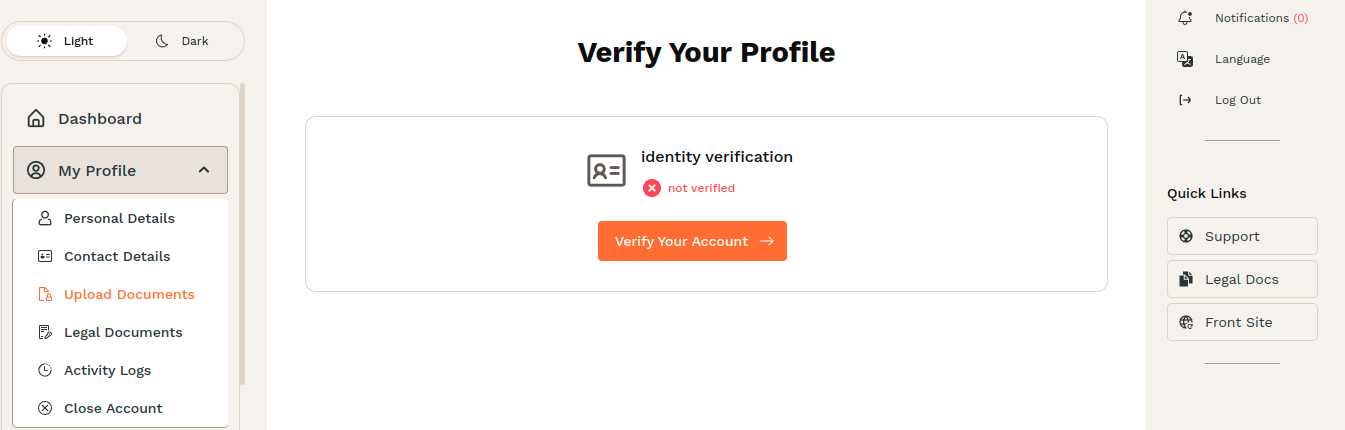
To start verification, just click Upload documents on this alert, above image.
or Go to sidebar menu:
My Profile->Upload Documents
Here you can see verification status
- Not verified
- Pending
- Verified
Click Verify Your Account -> button to get started.
Upload documents
First of all select document type, according to which your verification will take place.
Available document types:
- ID Card (needs two file: Front and Back side)
- Passport
- Driver's License
- Other
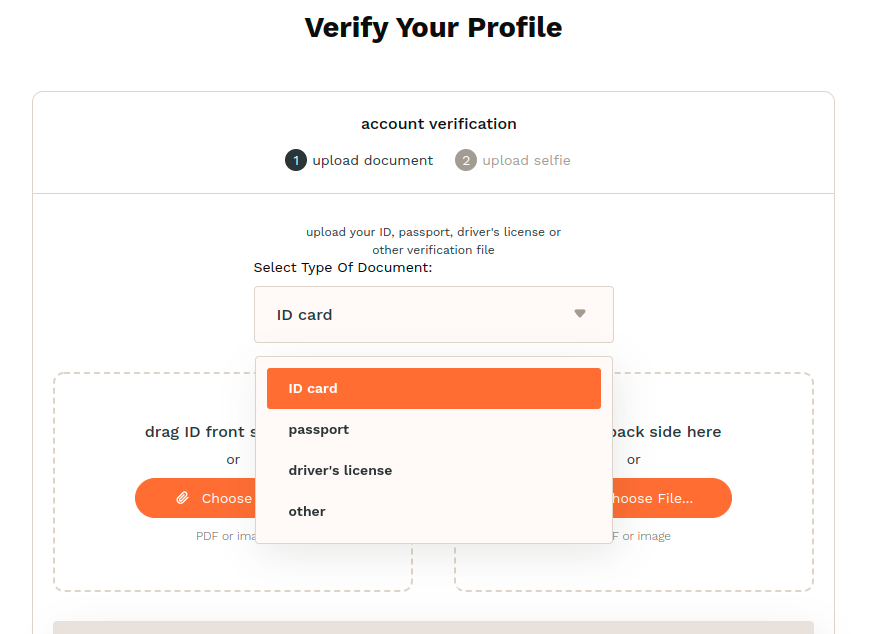
Then Choose or Drop neccessary files (only image or PDF).
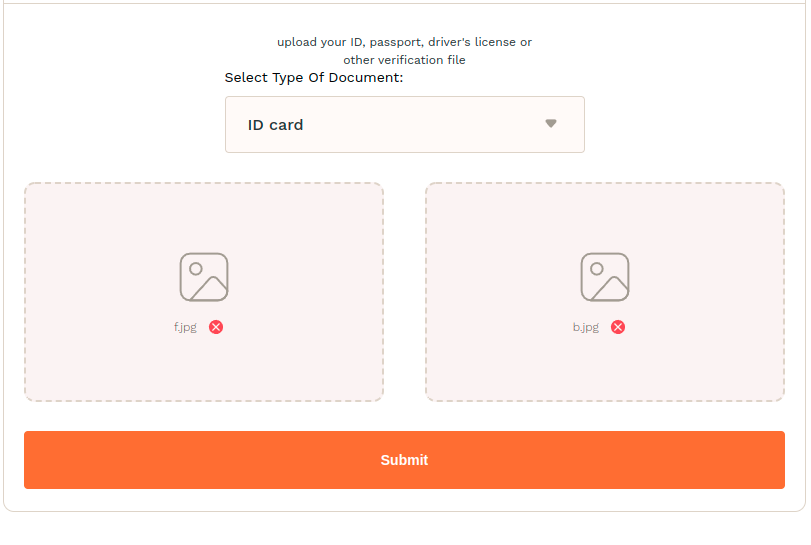
and click Submit button.
After this you shoul upload your seflie, with your document holding in your hands.
Please note that document and persons face must be clear visible
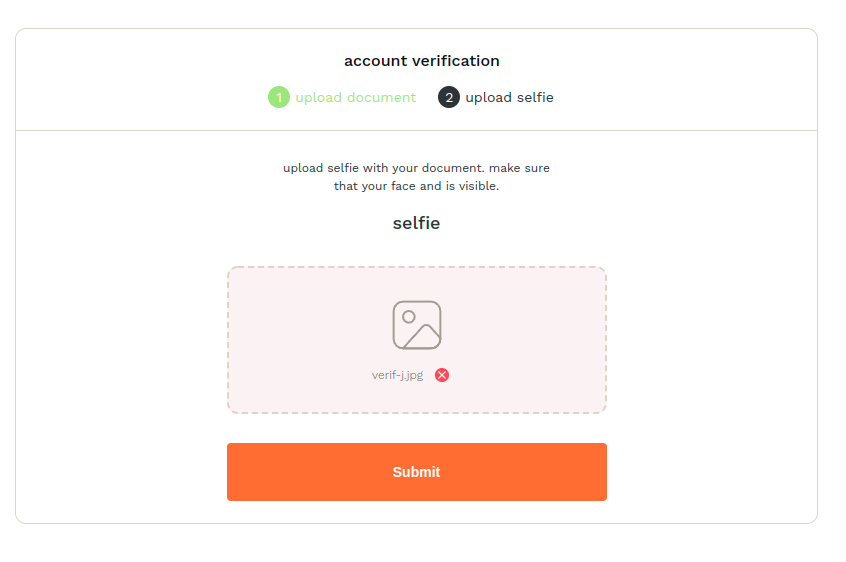
and click Submit button.
Finish
Thats all. Verification request is sent.

You can see verification status on Home (dashboard) page is Pending.

When verification is done, status become Verified and you can start trading.
